Overview and Installation
What the plugin does
The SCIMAP Toolkit brings the SCIMAP diffuse-pollution and flood-risk
models into QGIS as a set of Processing algorithms plus a guided panel. It
calculates network connectivity, erosion risk, in-channel risk, seasonal FIO
(faecal indicator organism) delivery risk, and flood mean/standard-deviation
outputs, using native WhiteboxTools hydrological processing (BreachDepressions,
FD8FlowAccumulation, D8Pointer, DInfMassFlux, Watershed,
DownslopeDistanceToStream) and a flow-path trace connectivity approach.
Land cover rasters are reclassified into SCIMAP risk weights inside the plugin, so no pre-weighted raster needs to be prepared beforehand. Results are styled automatically with percentile-stretched colour ramps and can be exported as GeoPackage, KML, point vectors, Cloud-Optimised GeoTIFF, or a self-contained offline web dashboard.
Reference: Reaney, S.M. et al. (2011) "Identifying critical source areas using multiple methods for the prioritisation of agri-environment scheme implementation", Ecological Modelling. https://doi.org/10.1016/j.ecolmodel.2010.08.022
Requirements
- QGIS 3.28 – 4.99
- WhiteboxTools executable installed separately. The plugin's own
Advanced parameters let you point at a specific
whitebox_toolsbinary if it is not on your system PATH.
Installing the plugin
Install like any other QGIS plugin, from the QGIS Plugin Repository:
- Open Plugins → Manage and Install Plugins…
- Search for "SCIMAP Toolkit" and install it.
- Enable the SCIMAP Toolkit checkbox in the plugin list.
Screenshot:
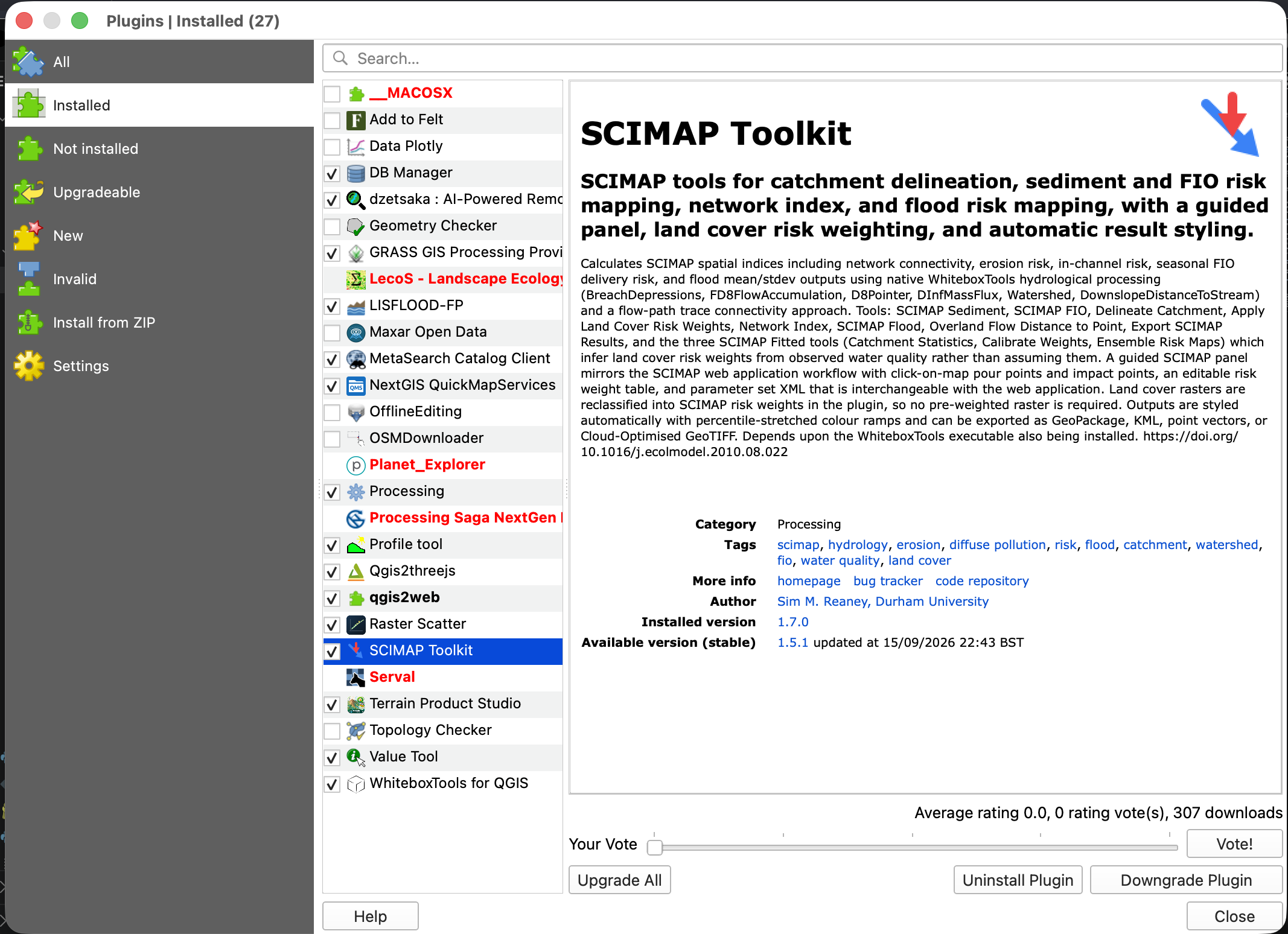
Plugins → Manage and Install Plugins, with SCIMAP Toolkit shown installed/enabled.
Where the plugin appears
Once enabled, SCIMAP adds itself in three places:
- A toolbar with an icon for the SCIMAP Panel and each of the eleven most-used tools.
- An
&SCIMAPentry in the Plugins menu, listing the same panel toggle and tools. - A
SCIMAPprovider in the Processing Toolbox, listing all twelve algorithms (including Export SCIMAP Results, which has no toolbar icon), so they can be run from there or chained into Processing models.
Screenshot:
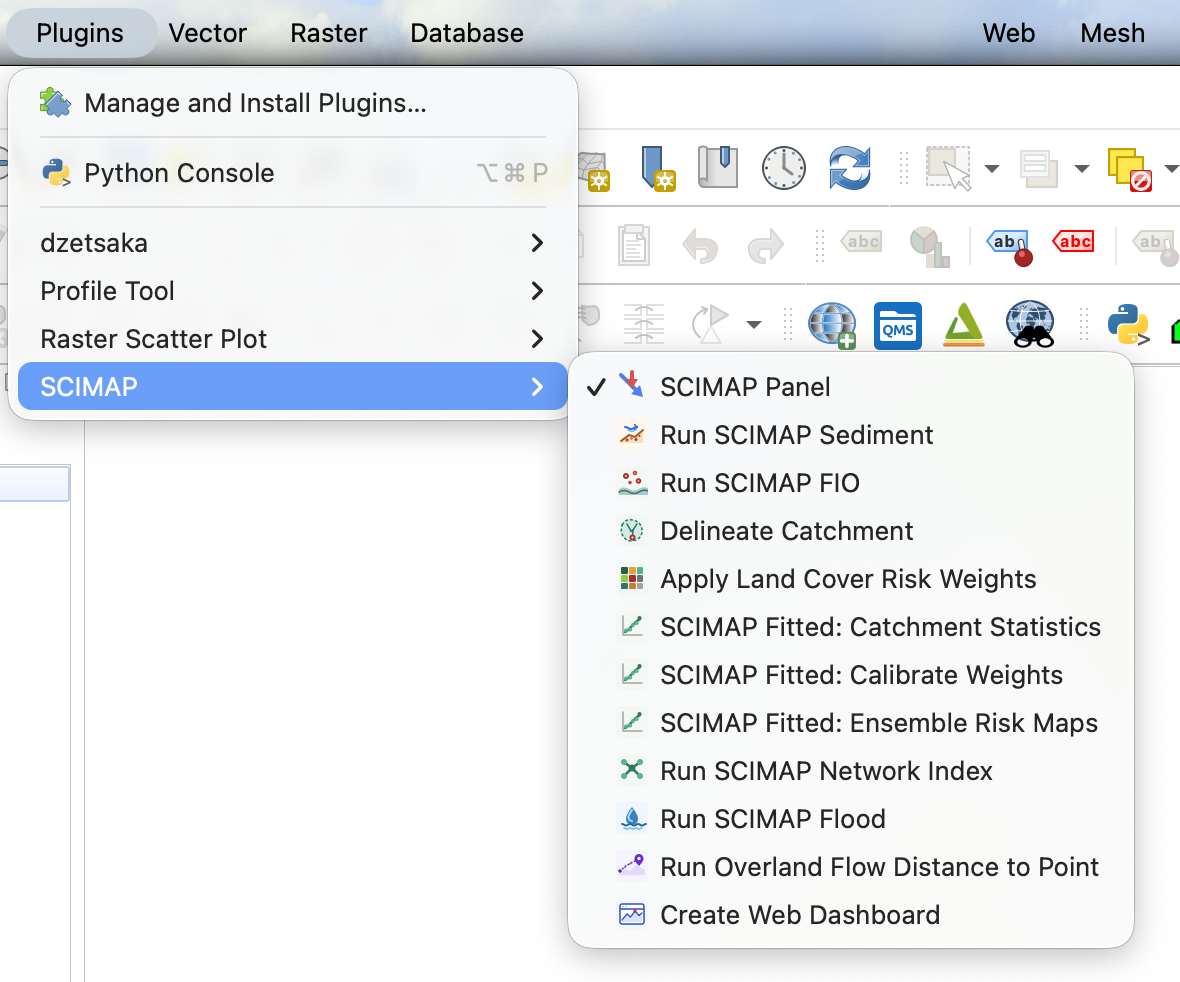
Plugins → SCIMAP, showing the panel toggle and every tool shortcut.
Screenshot:
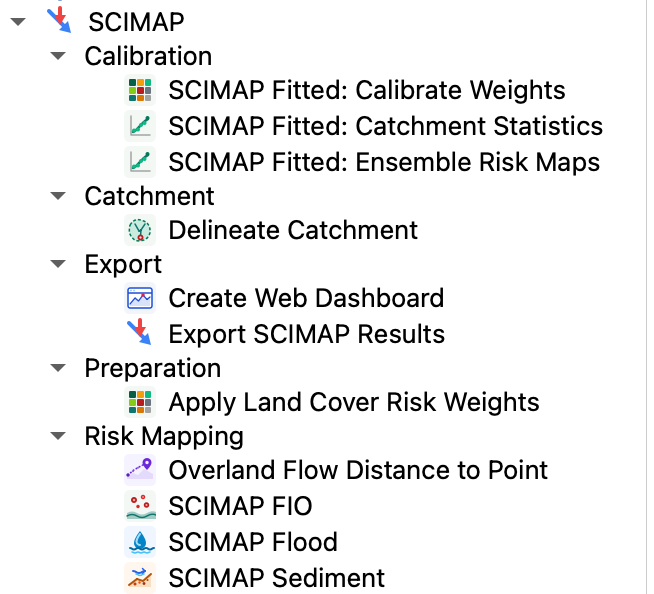
Processing Toolbox → SCIMAP, expanded to show every algorithm and its group.
Two ways to work
- The SCIMAP Panel is the guided route: a dockable panel with tabs that walk through catchment delineation, risk weight editing and running SCIMAP Sediment/FIO/Flood, with click-on-map point picking.
- Individual Processing tools (this guide's remaining pages) can be run one
at a time from the toolbar, the
&SCIMAPmenu, or the Processing Toolbox — useful for scripting, batch processing, or when only one step is needed.
Continue to The SCIMAP Panel.